 LineSheetDesk
How to maintain price versions for different buyers
Keep shared product data separate from customer discounts and fixed product prices.
Last updated
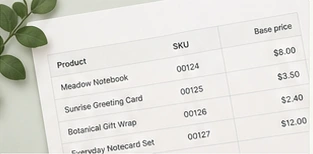
Maintaining a separate spreadsheet for every buyer makes small updates hard to track. A simpler structure is one shared product list, a customer-specific rule set, and an immutable copy of each exported catalog. This draft explains the rules used by this project, rather than claiming every catalog tool behaves the same way.
Keep the product facts in one place
The shared product list should contain the SKU, name, description, category, base wholesale price and optional ordering details. Do not put one customer’s negotiated price into the shared base-price column. Doing so would change the starting point for other customers.
Use one documented priority order
- First, use the fixed price for this product and customer when one is set.
- Otherwise apply the customer’s overall discount to the base price.
- If neither applies, use the base price.
The word “otherwise” matters. A fixed price is not a number to discount again. It replaces the result of the percentage rule for that product. Show the rule beside the displayed price so the person editing the catalog can tell why two customers see different amounts.
Review the customer impact when a base price changes
Suppose the notebook’s base price becomes $8.50. Maple Store’s percentage price becomes $7.65. Harbor Shop’s fixed price stays $6.80. A good review screen should show both results before you accept the update. Do not mix the old discounted price with the new base price when calculating a change label.
A product missing from a new spreadsheet is not automatically a discontinued product. It may simply have been filtered out before export. Keep missing rows by default and provide an explicit archive decision. Historical customer files should stay intact even when you archive a product for future catalogs.
Define precision before handling many products
Perform monetary arithmetic with integer minor units or an exact decimal representation. In LineSheetDesk, discounted prices round once to the currency’s supported decimal places, with halves rounded up. Excess precision in an entered source price is rejected instead of silently rounded.
Export a snapshot, not a moving target
Select the customer, currency, product revision and layout before starting an export. Save a catalog version with those details before exporting. A later edit to the product library or another customer’s rule must not alter a queued file. A batch of customer PDFs should preserve a separate snapshot and clear filename for each customer.
Before sending the files, open one percentage-based version and one version with a fixed-price exception. Check the customer name and the exception product. Keep the previous export available rather than replacing it with an updated file under the same identity.
Put the guide into practice.
Explore the fictional collection, check buyer prices and see how the layouts handle the same product data.